
Running a business involves managing many tasks at once. Teams handle finances, inventory, customer records, employee information, and daily operations. When these tasks rely on separate systems, important information can become difficult to track. Employees may spend more time updating records than completing valuable work.
ERP software helps businesses bring these processes together. It connects different departments through a central system, making it easier to manage information, monitor performance, and coordinate daily activities.
But what exactly is ERP software? Which features does a business need? And how can you implement it successfully?
This guide explains the meaning of ERP software, its main benefits, essential features, costs, and implementation steps. It also covers common challenges and practical ways to choose an ERP solution that fits your business requirements.
What Is ERP Software and How Does It Work?
ERP stands for Enterprise Resource Planning. ERP software is a business management system that connects different departments and processes through shared data and integrated applications.
Instead of managing every department with disconnected tools, businesses can use ERP software to coordinate activities such as accounting, inventory, purchasing, sales, and human resources. The exact capabilities depend on the software and modules selected.
What Does ERP Stand For?
ERP means Enterprise Resource Planning. It refers to the process of managing a business’s resources, information, and operations in a coordinated way.
For example, a retail business may use ERP software to monitor stock, record purchases, track expenses, and review financial performance. When these functions share relevant information, employees can work with more consistent records.
ERP systems are used by businesses of different sizes and across many industries. Their purpose is to improve coordination, reduce unnecessary manual work, and give managers better visibility into operations.
How Does an ERP System Connect Different Business Departments?
An ERP system connects business functions through shared information and integrated workflows.
Consider a company that sells products online and through a physical store. When a sale is recorded, an integrated system may update inventory, record the transaction, and send relevant information to accounting. This reduces the need to enter the same details into several systems.
Employees can access information according to their assigned permissions. Managers can also use reports and dashboards to review activity across departments.
The result is a more connected way of managing business processes.
What Is the Difference Between ERP Software and Traditional Business Software?
Traditional business software often focuses on one specific task. An accounting application manages financial records, while a stock management tool tracks inventory.
ERP software aims to connect multiple business functions within one coordinated environment.
The main difference is integration. Separate applications may require manual data transfers or additional connectors. An ERP system can provide shared records and workflows across supported modules.
However, not every ERP product includes every feature. Businesses should check the available modules, integrations, and customisation options before choosing a solution.
What Are the Key Benefits of ERP Software for Businesses?
ERP software can help businesses improve operational visibility, coordinate departments, and manage information more consistently. The benefits depend on the quality of implementation, employee adoption, and the suitability of the selected system.
Centralised Business Data and Better Visibility
ERP software brings information from different business functions into a connected environment. This helps employees work with more consistent records instead of searching across multiple spreadsheets and applications.
For example, a manager may review sales activity, stock levels, and financial information using connected reports. This makes it easier to understand what is happening across the business.
Centralised information can also reduce duplicate records and improve communication between teams. Businesses must still maintain accurate data and appropriate access controls to achieve these benefits.
Improved Productivity Through Automated Workflows
Many businesses spend time completing repetitive tasks. Employees may copy information between applications, prepare routine reports, or manually update records after each transaction.
ERP software can automate supported workflows, such as invoice processing, approval notifications, and inventory alerts.
Automation allows employees to spend less time on routine administration. It can also help businesses apply consistent processes across departments.
Before automating a workflow, businesses should review how the process currently works. Automating an inefficient process without improving it first may simply make the same problem happen faster.
More Accurate Reporting and Business Decisions
Business decisions depend on reliable information. When departments maintain separate records, managers may struggle to compare results or identify problems quickly.
ERP software can combine data from connected functions to produce reports on sales, expenses, inventory, and operational performance.
For example, a manager may compare product sales with stock availability and purchasing costs. This information can support better purchasing and budgeting decisions.
Reports are only as useful as the information behind them. Regular data checks and clear reporting standards remain essential.
Better Inventory and Resource Management
Inventory problems can affect cash flow, customer satisfaction, and daily operations. Businesses may lose sales when products are unavailable or tie up money in excess stock.
ERP software with inventory management features can help teams track stock movements, monitor quantities, record purchases, and identify replenishment needs.
Businesses can also use ERP tools to coordinate purchasing and resource allocation. These features are especially useful for retailers, wholesalers, manufacturers, and distributors.
The right setup depends on the business’s products, warehouses, sales channels, and stock management requirements.
Improved Collaboration Across Departments
Disconnected systems can create information gaps between teams. Sales staff may not know current stock levels, while finance teams may lack timely details about transactions.
An integrated ERP system helps authorised employees access relevant shared information. This can reduce repeated questions and improve coordination.
For example, sales teams can check available inventory before confirming an order, while finance teams can review related transaction records.
Clear responsibilities, employee training, and consistent processes are still needed to make collaboration effective.
Scalable Operations as Your Business Grows
Business processes often become more complex as a company expands. More customers, employees, products, and transactions can make manual systems difficult to manage.
A suitable ERP system can support growth by adding users, modules, locations, or integrations where the platform allows.
Businesses should consider future requirements before selecting a solution. A system that works for a small team may not meet the needs of a company operating across several locations.
Planning for scalability can reduce the disruption of replacing systems later.
What Features Should You Look for in ERP Software?
The best ERP software depends on how your business operates. Some companies need strong inventory controls, while others prioritise financial reporting, employee management, or production planning.
Before selecting a system, identify your essential requirements and compare them against the available features.
Financial Management and Accounting
Financial management features help businesses record transactions, monitor expenses, manage accounts, and review financial performance.
Depending on the platform, these tools may support accounts payable, accounts receivable, budgeting, invoicing, and financial reporting.
Integration between accounting and other departments can reduce duplicate data entry. For example, sales and purchasing records may provide information needed for financial reporting.
Businesses should confirm that the software supports their reporting requirements, tax obligations, accounting processes, and necessary integrations.
Inventory and Supply Chain Management
Inventory management features help businesses monitor stock quantities, movements, purchases, and product availability.
More advanced systems may support multiple warehouses, supplier records, demand planning, and stock replenishment workflows.
These tools can help businesses identify low-stock items and improve coordination between purchasing and sales.
When comparing systems, check whether they support your product catalogue, barcode processes, warehouse structure, and sales channels.
Customer Relationship Management (CRM)
CRM features help businesses manage customer information, sales opportunities, communication history, and follow-up activities.
When CRM and ERP functions work together, teams can connect customer relationships with orders, invoices, and other relevant business records.
For example, a sales representative may review a customer’s order history before preparing a new proposal.
Some ERP systems include built-in CRM tools, while others connect to a separate CRM platform. Businesses should compare both approaches based on their sales processes.
Human Resources and Employee Management
HR features can help businesses maintain employee records, manage leave requests, organise recruitment information, and track selected workforce activities.
Some platforms also support attendance, payroll integration, and employee self-service functions.
The exact features vary between providers. Businesses should check local payroll requirements, privacy controls, and integration needs before selecting an HR module.
A suitable system can reduce administrative work and help authorised staff maintain more organised employee records.
Reporting, Analytics, and Dashboards
Reporting tools turn business data into information that managers can use to assess performance.
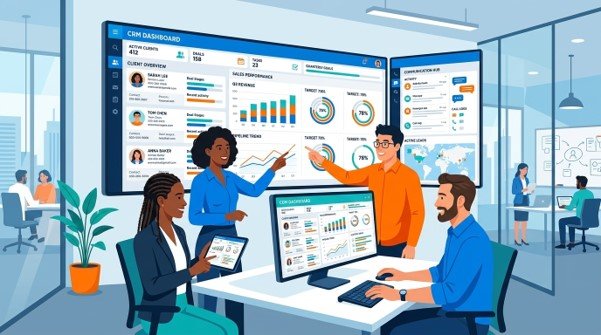
Dashboards may display sales trends, outstanding invoices, inventory levels, expenses, or other selected indicators.
For example, a manager could monitor sales performance alongside stock availability to identify products that need attention.
Look for flexible reporting, useful filters, export options, and role-based dashboards. Ensure that the available reports support your actual business decisions rather than simply displaying large amounts of data.
Workflow Automation and System Integration
Workflow automation helps businesses carry out routine activities using defined rules. Examples include sending approval requests, generating notifications, and assigning tasks.
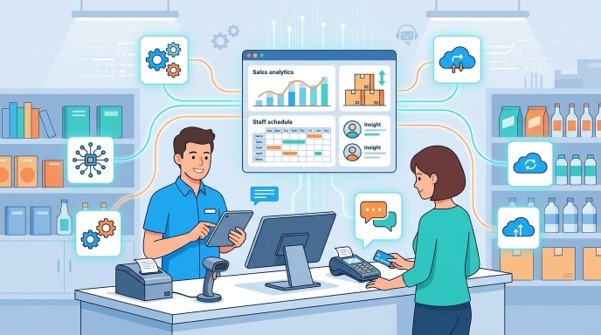
Integrations allow ERP software to exchange information with other business applications. Depending on the platform, these may include CRM systems, POS software, e-commerce platforms, payment tools, and accounting applications.
Before implementation, confirm which integrations are available and whether they require additional fees, connectors, or development work.
Data Security and Access Controls
Business systems contain sensitive information about customers, employees, finances, and operations.
ERP software should provide appropriate security features, such as user permissions, authentication controls, audit records, and backup options. Available protections differ between providers and deployment models.
Businesses should define who can access each type of information and review permissions regularly.
Security also depends on employee practices, system configuration, software updates, and incident response planning. A feature list alone cannot guarantee that a system is secure.
Which Businesses Need ERP Software?
ERP software can support businesses that need better coordination between departments. Whether it is necessary depends on operational complexity, transaction volume, reporting requirements, and the limitations of existing systems.
ERP Software for Small Businesses
Small businesses may benefit from ERP software when spreadsheets and separate applications become difficult to manage.
For example, a growing retailer may need to connect sales, inventory, purchasing, and accounting. An integrated system can reduce repeated data entry and make records easier to review.
However, a small business does not always need a large ERP platform. A simpler accounting, inventory, or business management application may be sufficient when requirements are limited.
The goal is to choose a system that solves current problems without creating unnecessary complexity or cost.
ERP Solutions for Medium-Sized Businesses
Medium-sized businesses often manage more customers, employees, products, and transactions than their original systems can comfortably support.
ERP software can help connect finance, procurement, stock management, sales, and other functions as the business expands.
For example, a distributor operating several warehouses may need better visibility into stock levels and purchasing activity across locations.
At this stage, businesses should consider integration requirements, reporting needs, staff training, and the ability to add modules as operations grow.
ERP Systems for Large Enterprises
Large organisations may require ERP systems that support multiple departments, locations, currencies, or complex approval processes.
They may also need detailed reporting, advanced access controls, and integrations with specialised business applications.
Implementation can involve significant planning because different departments may follow different processes and use different systems.
Large businesses should establish clear project ownership, data standards, testing procedures, and change management plans before deployment.
Industry-Specific ERP Requirements
Different industries have different operational needs.
- Retail: Stock management, purchasing, sales reporting, and POS integration.
- Manufacturing: Production planning, materials management, and quality control.
- Wholesale and distribution: Warehouse visibility, supplier coordination, and order management.
- Professional services: Project costs, resource planning, time tracking, and billing.
- Healthcare-related businesses: Appropriate access controls, sensitive data handling, and relevant regulatory requirements.
Businesses should prioritise features that match their actual workflows. Industry labels alone do not guarantee that an ERP system will meet every operational requirement.
Cloud ERP vs. On-Premise ERP: Which Is Better?
Cloud ERP and on-premise ERP differ mainly in how the system is hosted, maintained, accessed, and managed.
Cloud ERP is hosted on cloud infrastructure and accessed through supported internet-connected devices. On-premise ERP is installed on infrastructure controlled by the organisation, although external hosting arrangements can vary.
Neither option is automatically better for every business. The right choice depends on cost, security requirements, IT resources, customisation needs, and operational priorities.
What Is Cloud-Based ERP Software?
Cloud ERP runs on cloud infrastructure managed by a provider or hosting partner.
Depending on the service agreement, the provider may handle infrastructure maintenance, updates, and some security responsibilities. Employees can generally access the system remotely through supported devices and permissions.
Cloud ERP may suit businesses that want to reduce their responsibility for maintaining physical servers.
However, businesses should review subscription costs, data hosting arrangements, service availability, backup policies, integration options, and internet connectivity requirements.
What Is On-Premise ERP Software?
On-premise ERP is installed on servers or infrastructure controlled by the business or its IT partner.
This model may provide greater control over certain infrastructure and configuration decisions. It can suit organisations with specific technical requirements or established internal IT teams.
However, the business may need to manage more of the infrastructure, maintenance, updates, backups, and security responsibilities.
The total cost can include hardware, licences, IT staff, maintenance, and future upgrades.
Key Differences Between Cloud ERP and On-Premise ERP
| Factor | Cloud ERP | On-Premise ERP |
| Hosting | Cloud infrastructure | Business-controlled or locally managed infrastructure |
| Initial investment | Often lower infrastructure costs | May require hardware and setup investment |
| Payment model | Commonly subscription-based | May use licences, subscriptions, or other arrangements |
| Maintenance | Depends on the provider’s service agreement | Often managed by the business or its IT partner |
| Remote access | Generally supported through authorised online access | Depends on system configuration |
| Customisation | Depends on platform capabilities | Depends on software and infrastructure |
| Scalability | May allow flexible changes to users and resources | May require additional infrastructure or configuration |
| Responsibility | Shared between provider and customer | Often involves greater customer responsibility |
How to Choose the Right ERP Deployment Model
Start by identifying your security, access, budget, and maintenance requirements.
Cloud ERP may be suitable if your business wants managed infrastructure and convenient remote access. On-premise ERP may be more appropriate when specific infrastructure controls or technical requirements are important.
Ask providers about total costs, data ownership, backups, disaster recovery, system availability, and exit arrangements.
Compare the full service offering instead of choosing solely on the basis of initial price.
How Much Does ERP Software Cost?
ERP software costs vary according to the platform, number of users, selected modules, deployment model, and level of customisation.
Some businesses use subscription-based systems with relatively simple configurations. Others require extensive integrations, data migration, staff training, and specialist implementation support.
There is no single price that applies to every business.
Factors That Affect ERP Software Pricing
The main cost factors include:
- Number of users: More users may increase licence or subscription costs.
- Software modules: Additional functions may require separate fees.
- Customisation: Special workflows and reports may require development.
- Implementation: Planning, configuration, testing, and deployment involve time and resources.
- Data migration: Existing records may need cleaning, mapping, and transfer.
- Integrations: Connecting ERP with CRM, POS, or other applications may involve extra costs.
- Training and support: Employees may need training and ongoing technical assistance.
- Maintenance: Updates, infrastructure, and support arrangements can affect long-term spending.
Businesses should request a clear breakdown of all expected costs before making a decision.
Subscription Fees vs. One-Time Licensing Costs
Subscription-based ERP systems typically charge recurring fees. These may depend on users, modules, storage, or service levels.
Some ERP products offer one-time licence payments, although maintenance, upgrades, hosting, and support may still incur ongoing costs.
The most suitable model depends on the business’s budget, preferred payment structure, and technical resources.
Compare costs over several years instead of looking only at the initial payment.
Implementation, Training, Integration, and Maintenance Costs
Software licensing is only one part of the total investment.
A business may also need to prepare existing data, configure workflows, integrate other systems, train employees, and test the new environment.
For example, connecting ERP software with an existing POS system may require technical work to ensure sales and stock records remain consistent.
A realistic budget should include these additional activities, along with contingency funds for unexpected issues.
How to Evaluate ERP Software ROI
Return on investment (ROI) measures the value gained compared with the cost of an investment.
Businesses can evaluate ERP performance by tracking measurable indicators, such as:
- Time spent on manual data entry.
- Frequency of inventory discrepancies.
- Time needed to prepare financial reports.
- Order processing times.
- Administrative costs.
- Errors caused by duplicate or inconsistent records.
Compare these indicators before and after implementation. Consider the total project cost and the time needed to achieve benefits.
ERP software should be assessed against defined business goals, not assumptions about guaranteed savings.
How to Implement ERP Software Successfully
Successful ERP implementation requires more than installing software. Businesses must understand their processes, prepare accurate data, select appropriate features, and help employees adapt to new ways of working.
A structured implementation plan can reduce disruption and make progress easier to measure.
Step 1 — Identify Business Needs and Operational Challenges
Start by reviewing the problems your business wants to solve.
These may include repeated data entry, poor stock visibility, delayed reporting, disconnected systems, or inconsistent approval processes.
Speak with the employees who manage these tasks every day. They can identify practical issues that may not appear in management reports.
Create a list of current challenges and explain how each one affects operations. This will help you focus on the features that matter most.
Step 2 — Define ERP Goals and Requirements
Set clear objectives before comparing software providers.
For example, your business may want to reduce duplicate records, improve inventory visibility, or shorten the time needed to prepare monthly reports.
Separate essential features from optional improvements. Also consider future needs, such as new locations, additional users, or new sales channels.
Documenting requirements helps businesses compare solutions fairly and avoid paying for features they do not need.
Step 3 — Compare ERP Providers and Solutions
Evaluate several suitable ERP options against your documented requirements.
Review available modules, integration capabilities, security controls, pricing, support arrangements, and customisation options.
Ask providers to demonstrate common workflows using realistic business scenarios. This helps employees understand how the system would work in practice.
Check references and independently verify important claims where possible. Make sure the provider understands your industry and implementation requirements.
Step 4 — Prepare and Clean Existing Business Data
Poor-quality data can create problems during and after implementation.
Review existing customer records, supplier information, product details, financial data, and inventory records before transferring them.
Remove unnecessary duplicates, correct errors, and agree on consistent naming conventions. Decide which historical records need to be migrated and which can be archived.
Test the migration process before the final transfer. Confirm that important totals and records match the original information.
Step 5 — Configure Modules and Integrate Existing Systems
Configure the selected ERP modules to reflect approved business processes.
This may involve setting up user roles, approval rules, financial categories, inventory locations, and reporting requirements.
If the business uses CRM, POS, e-commerce, or other software, confirm how those systems will exchange information.
Test integrations carefully. Check that records transfer correctly and that errors can be identified and resolved.
Avoid unnecessary customisation during the initial implementation. Extra complexity can increase cost and make future maintenance more difficult.
Step 6 — Train Employees and Test Workflows
Employees need to understand how the new system affects their responsibilities.
Provide role-specific training and practical instructions for common tasks. Give employees opportunities to test the system in a controlled environment.
Test important workflows, including sales transactions, purchasing, stock updates, financial entries, and reporting.
Record problems, assign responsibility for fixing them, and repeat relevant tests before launch.
Step 7 — Launch the System and Monitor Performance
Choose a launch plan that matches the size and complexity of your business.
Some organisations introduce the system gradually, while others move to the new platform in a planned transition. The best approach depends on operational risk, system readiness, and available resources.
After launch, monitor system performance, data accuracy, employee feedback, and the business goals defined earlier.
Provide support when employees encounter problems. Review results regularly and make improvements where needed.
Implementation does not end on launch day. Ongoing monitoring helps the system remain useful as business requirements change.
What Are the Common ERP Implementation Challenges?
ERP implementation can improve coordination, but the transition may also create operational challenges. Understanding these risks early helps businesses plan more effectively.
Resistance to Change Among Employees
Employees may be comfortable with existing tools and routines. A new system can feel unfamiliar or make established tasks seem more complicated at first.
Explain why the change is happening and how it will affect daily work. Involve employees during planning, provide suitable training, and make support available after launch.
Listening to employee feedback can reveal problems before they affect wider operations.
Data Migration Errors and Inconsistent Records
Incorrect, missing, or duplicated records can affect reports and business transactions.
Before migration, clean existing data and define consistent standards. Test the transfer using sample records and reconcile important totals.
Keep suitable backups and establish a clear process for resolving discrepancies. Do not assume that moving data automatically makes it accurate.
Integration With Existing Business Systems
An ERP system may need to exchange information with applications already used by the business.
Differences in data formats, available connectors, and system rules can make integration difficult.
Confirm compatibility early and document which system owns each type of information. Test normal transactions and error scenarios before going live.
Where necessary, involve qualified technical specialists to assess integration requirements.
Unexpected Costs and Project Delays
Projects may take longer than expected when requirements are unclear, data needs extensive cleaning, or additional customisation becomes necessary.
Set a realistic budget and timeline based on the scope of the work. Assign project responsibilities and establish a process for approving changes.
Review progress regularly and document decisions. A phased implementation may help some businesses manage complexity, provided that the phases are planned carefully.
How to Reduce ERP Implementation Risks
Businesses can reduce implementation risks by taking a structured approach:
- Define clear objectives and measurable success criteria.
- Assign a project owner and involve relevant departments.
- Confirm requirements, costs, and responsibilities with the provider.
- Clean and test data before migration.
- Test important workflows and integrations.
- Train employees before launch.
- Maintain appropriate backups and recovery plans.
- Monitor results and resolve problems promptly.
These steps cannot remove every risk, but they can make the implementation process more controlled and predictable.
How Can You Choose the Right ERP Solution for Your Business?
Choosing ERP software begins with understanding your business rather than selecting the system with the longest feature list.
The right solution should address real operational challenges, fit your budget, and support your expected business needs.
Assess Your Current Business Processes
Review how your business manages sales, finance, inventory, purchasing, employees, and reporting.
Identify where information becomes duplicated, tasks take too long, or teams struggle to access accurate records.
Prioritise the problems that have the greatest effect on cost, productivity, and customer service.
This assessment provides a practical starting point for selecting suitable software.
Check Essential Features and Integration Options
Create a checklist of required features and compare it with each platform.
Consider whether you need accounting, CRM, inventory management, HR tools, workflow automation, or POS integration.
Confirm that the required features are included in the proposed package. Ask about integration fees, technical limitations, and future upgrade options.
A clear comparison helps prevent misunderstandings after the purchase.
Consider Scalability and Ease of Use
The system should be suitable for your current operations while allowing reasonable future growth.
Consider the number of users, business locations, transaction volumes, and additional functions you may need later.
Ease of use is equally important. A powerful system may provide limited value if employees find it difficult to use.
Request demonstrations and involve the people who will work with the software regularly.
Review Security, Support, and Customisation
Ask providers how they manage access permissions, backups, updates, data protection, and service interruptions.
Check support availability, response arrangements, documentation, and training options.
Discuss customisation carefully. Some changes may be essential, but unnecessary development can increase cost and complexity.
Make sure responsibilities are clearly defined before signing an agreement.
Compare Total Cost of Ownership
Look beyond the initial licence or subscription price.
Include implementation, data migration, integration, training, maintenance, support, and potential upgrade costs.
Compare these expenses with the operational problems the system is expected to address.
A suitable ERP solution should provide practical value within the business’s budget and resource limits.
How Hassle Free Care Can Help With ERP Solutions
Choosing and implementing business software can be challenging when your systems do not work together. The right approach starts with understanding your workflows, identifying gaps, and selecting technology that fits your operational requirements.
Hassle Free Care provides ERP solutions as part of its business technology services. Depending on your requirements, ERP planning can be considered alongside CRM solutions, POS systems, accounting software, AI automation, and staff augmentation.
An integrated approach can help businesses evaluate how their systems should share information and support everyday processes.
Before choosing a solution, consider your current software, essential features, integration requirements, budget, and plans for growth.
Looking to improve how your business manages daily operations? Contact Hassle Free Care to discuss your ERP requirements and explore suitable options for your business.
Final Thoughts
ERP software can help businesses manage information, coordinate departments, and improve visibility across daily operations. Its value depends on choosing suitable features, maintaining accurate records, and planning implementation carefully.
Before investing in a system, identify your main challenges, compare available solutions, and consider the full cost of ownership. Test essential workflows and prepare employees for the change.
With the right planning, ERP software can provide a more organised foundation for managing business operations and supporting future growth.
Explore Hassle Free Care’s ERP solutions to discuss your business requirements and identify an approach that fits your needs.
Comments are closed