Building strong customer relationships is essential for business growth. However, managing customer information, tracking leads, and following up with potential buyers can become difficult as a business grows. Missed messages, scattered records, and delayed responses can affect customer satisfaction and sales.
CRM solutions help businesses manage these tasks in one organised system. They allow teams to store customer information, track sales opportunities, improve communication, and automate repetitive work. With the right customer relationship management software, businesses can understand their customers better and manage their sales activities more effectively.
In this guide, we explain how CRM solutions work, their main benefits, the features to consider, and how businesses can choose a suitable system.
What Are CRM Solutions?
CRM solutions are software systems that help businesses manage relationships with current and potential customers. CRM stands for Customer Relationship Management. It brings customer details, communication records, sales activities, and follow-up tasks into one place.
Instead of using separate spreadsheets, emails, and notes, teams can access relevant customer information through a central system. This makes it easier to understand customer needs and maintain consistent communication.
How Does Customer Relationship Management Software Work?
CRM software collects and organises customer information from different interactions. Depending on its features, it may record contact details, enquiries, previous conversations, purchases, and sales opportunities.
For example, when a potential customer submits an enquiry, a CRM system can record their details and assign the enquiry to a sales representative. The representative can then schedule a follow-up, update the lead status, and record the outcome.
This process helps teams manage enquiries more consistently and reduces the risk of overlooking potential customers.
What Are the Key Features of Modern CRM Systems?
Common CRM features include:
- Contact management: Stores customer names, contact details, and interaction history.
- Lead management: Tracks potential customers from their first enquiry.
- Sales pipeline tracking: Shows the progress of sales opportunities.
- Task reminders: Helps teams remember calls, meetings, and follow-ups.
- Reporting and analytics: Provides insights into sales activities and performance.
- Workflow automation: Reduces repetitive administrative tasks.
- System integrations: Connects CRM software with compatible business tools.
Available features depend on the selected platform and plan.
CRM Software vs. Traditional Customer Management
Traditional customer management often relies on spreadsheets, separate email accounts, and manual records. These methods may work for a small number of customers, but they can become difficult to maintain as enquiries increase.
CRM software provides a more centralised approach. Teams can access shared records, monitor sales progress, and coordinate customer interactions. It also makes reporting easier when the system is configured correctly.
However, CRM software is not automatically the best choice for every business. The right option depends on customer volume, team size, budget, and daily workflow requirements.
How Do CRM Solutions Improve Customer Relationships?
CRM solutions help businesses understand customer needs, maintain communication records, and provide more consistent service. They make customer information easier to access, allowing teams to respond with greater context and fewer delays.
Keep Customer Information in One Place
When customer information is spread across multiple systems, employees may struggle to find the latest details. A CRM system brings relevant records together, making it easier for authorised team members to review previous conversations, enquiries, and requests.
This shared view helps employees understand what a customer has already discussed with the business. It also reduces the need to ask customers for the same information repeatedly.
Deliver More Personalised Customer Experiences
Customers have different needs, preferences, and expectations. CRM software helps businesses record relevant interactions and use that information to make communication more useful.
For example, a sales representative can review a customer’s previous enquiry before recommending a suitable product or service. A support team can also check earlier conversations before responding to a new request.
Personalisation should always be relevant and respectful. Businesses should collect and use customer information responsibly and in line with applicable data protection requirements.
Improve Communication and Follow-Ups
Delayed replies and forgotten follow-ups can damage customer confidence. CRM systems help teams organise conversations, schedule reminders, and assign tasks to the right employees.
A business can use these features to follow up after an enquiry, confirm the next steps, or check whether a customer needs additional support.
Automated reminders can improve consistency, while clear ownership helps employees understand who is responsible for each interaction.
Resolve Customer Issues More Efficiently
When customer service teams can access relevant history, they can understand problems more quickly. CRM records may show earlier complaints, previous purchases, outstanding requests, and actions already taken.
This information helps employees avoid repeating unnecessary steps and provide more informed responses. When combined with a clear support process, CRM software can also help managers identify recurring issues and areas that need improvement.
How Does CRM Software Help Businesses Increase Sales?
CRM software supports sales growth by helping teams organise leads, manage opportunities, automate routine tasks, and review performance. It does not guarantee more sales, but it can help businesses manage their sales process more effectively.
Track Leads Throughout the Sales Pipeline
A sales pipeline shows where each potential customer stands in the buying process. CRM software can organise leads into stages such as new enquiry, contacted, qualified, proposal sent, negotiation, and closed.
Sales representatives can see which opportunities need attention and what action should happen next. Managers can also review the pipeline to identify delays or opportunities that require additional support.
A well-maintained pipeline makes sales activity easier to monitor and manage.
Automate Repetitive Sales Tasks
Sales teams often spend time updating records, sending routine messages, assigning enquiries, and creating reminders. CRM workflow automation can reduce some of this manual work.
For example, a system may assign a new lead to a sales representative, create a follow-up task, or notify a manager when an opportunity reaches a particular stage.
Automation should support the sales process rather than replace human judgement. Important customer conversations still require appropriate attention and personal communication.
Identify Sales Opportunities and Potential Customers
CRM reports can help businesses understand where leads come from, which sales stages take the longest, and which opportunities remain active.
These insights can help teams prioritise follow-ups and identify gaps in their sales process. Businesses may also use customer history to recognise relevant opportunities for repeat purchases or additional services.
The quality of these insights depends on accurate records, suitable reporting, and consistent use of the CRM system.
Use Sales Reports to Make Better Decisions
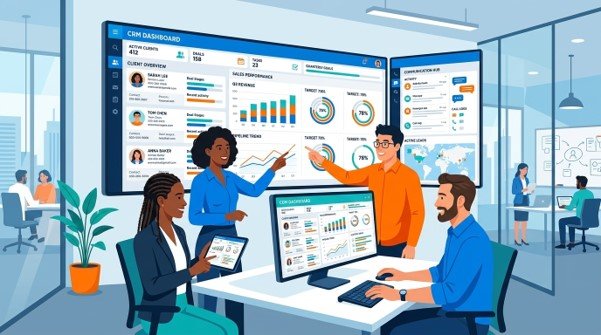
CRM dashboards can display information such as open opportunities, lead conversion rates, sales activity, and revenue figures when the relevant data is available.
Managers can use these reports to assess progress against business goals and identify areas for improvement. For example, a high number of enquiries but few completed sales may indicate a need to review lead quality, response times, pricing, or the sales approach.
Reliable reporting helps businesses make decisions based on recorded performance rather than assumptions alone.
What Are the Main Benefits of CRM Solutions for Businesses?
CRM solutions can improve several areas of business operations when they match the company’s needs and are used consistently.
Better Team Collaboration
A shared customer database helps sales, marketing, and customer service teams work with consistent information. Employees can review relevant updates and understand previous interactions, subject to their access permissions.
Improved Customer Retention
Regular communication and better service records can help businesses maintain relationships after the first sale. CRM reminders may support renewal notices, follow-ups, and relevant customer check-ins.
Retention still depends on factors such as service quality, product value, pricing, and customer expectations.
More Efficient Daily Operations
Centralised records and automated tasks can reduce repetitive administrative work. Employees may spend less time searching for information and more time handling customer enquiries or important business activities.
Clearer Sales Performance Tracking
CRM reports help managers monitor sales activities and review the progress of opportunities. This makes it easier to identify bottlenecks, review team workloads, and improve processes.
Scalable Customer Management
As a business grows, the number of enquiries and customer interactions often increases. A suitable CRM system can support additional users, more records, and new workflows, depending on the platform’s capacity and pricing plan.
Choosing a system that can adapt to future requirements may reduce the need for an early replacement.
Which Businesses Can Benefit from CRM Software?
CRM software can support businesses of different sizes and across many industries. Its value depends on how often the business interacts with customers and how complex its sales or service processes are.
CRM Solutions for Small Businesses and Startups
Small businesses can use CRM systems to organise enquiries, track follow-ups, and maintain customer records without relying entirely on spreadsheets. A simple system may be sufficient for a small team with straightforward requirements.
CRM Systems for Sales and Marketing Teams
Sales teams can use CRM tools to manage leads, monitor opportunities, and record customer conversations. Marketing teams may use compatible features to organise campaigns, segment contacts, and review enquiry sources.
Appropriate permissions and data-sharing practices help teams use customer information responsibly.
CRM Software for Service-Based Businesses
Consultancies, agencies, IT providers, and other service businesses can use CRM systems to track enquiries, manage client communication, and monitor opportunities from initial contact to service agreement.
Depending on the platform, integrations may also connect customer records with project management or support tools.
CRM Tools for Growing and Established Companies
Larger organisations may need advanced reporting, role-based access, multiple sales pipelines, and integration with other business systems. Their CRM requirements may also include data migration, staff training, and more detailed workflow configuration.
Businesses should evaluate these needs before choosing a platform.
Which CRM Features Should You Look for Before Choosing a Solution?
The best CRM solution is not necessarily the one with the most features. It is the one that addresses your business requirements, fits your budget, and can be used effectively by your team.
Contact and Lead Management
Look for a clear way to store customer records, capture enquiries, assign leads, and review interaction history. The system should make important information easy to find and update.
Workflow and Sales Automation
Consider whether the CRM can automate useful tasks such as lead assignment, follow-up reminders, status updates, and notifications. Check whether these workflows can be customised without creating unnecessary complexity.
Reporting and Analytics
Choose reporting features that match your business goals. Common requirements include sales pipeline reports, lead conversion tracking, team activity summaries, and performance dashboards.
Integration with Existing Business Software
Check whether the CRM can connect with your existing email, accounting software, ERP system, POS system, or customer support tools. Confirm the availability, cost, and limitations of each integration before making a decision.
Data Security and Access Controls
Review user permissions, authentication options, backup arrangements, data export capabilities, and the provider’s security documentation. Businesses should also consider applicable privacy and data protection obligations.
A secure setup requires suitable policies and configuration, not just the purchase of software.
How Can Businesses Implement CRM Solutions Successfully?
A successful CRM implementation begins with a clear understanding of business needs. Buying software without planning how the team will use it can create extra work rather than solve existing problems.
Define Your Customer and Sales Goals
Identify the problems you want to address. These may include missed follow-ups, incomplete customer records, poor visibility into sales opportunities, or disconnected systems.
Set practical measures to review progress, such as response times, record completeness, or the proportion of leads receiving timely follow-ups.
Choose a CRM That Fits Your Business Needs
Compare platforms based on features, usability, cost, integrations, scalability, and support. Avoid paying for complex functions your team does not need.
Where possible, test the shortlisted options with a small group of employees before making a final decision.
Organise Existing Customer Data
Review existing records before transferring them into the CRM. Remove unnecessary duplicates, correct errors, and establish consistent data formats.
Plan the migration carefully and confirm that important records have transferred accurately. Access permissions and data handling procedures should also be established.
Train Employees and Monitor Results
Explain how employees should enter information, update lead stages, and manage follow-ups. Provide practical training based on real tasks rather than relying only on technical instructions.
Review adoption and performance regularly. Feedback from employees can help identify confusing workflows and opportunities for improvement.
How Can CRM Solutions Work with Other Business Systems?
CRM software can become more useful when it connects with other business applications. Integrations may reduce duplicate data entry and give teams a more complete view of customer activity.
Connecting CRM with ERP Software
CRM systems focus on customer relationships and sales activities, while ERP systems commonly manage wider business operations such as inventory, purchasing, and order processing.
When compatible systems are integrated, teams may be able to share relevant customer, order, and account information. The exact data exchanged depends on the platforms and integration setup.
Integrating CRM with Accounting and POS Systems
Connecting CRM software with accounting tools may help businesses access relevant billing or account information. POS integration can connect customer records with sales transactions where supported.
These integrations can improve visibility, but businesses should confirm that the systems support the required data exchange and reporting.
Using AI Automation to Improve CRM Workflows
AI-enabled CRM features may help summarise customer interactions, classify enquiries, suggest follow-up actions, or support forecasting. Other automation tools can handle predefined tasks such as routing leads and sending notifications.
AI-generated outputs should be checked where accuracy matters. Businesses should also review privacy, access, and data handling before using AI with customer information.
Why Choose Hassle Free Care for CRM Solutions?
Choosing and configuring business software requires a clear understanding of your existing processes and future goals. Hassle Free Care offers a range of business technology services, including CRM solutions, ERP solutions, POS solutions, AI automation, accounting software, and staff augmentation.
Businesses exploring CRM options should first identify their main challenges, current software, integration requirements, and budget. These details help establish which features and implementation approach may be suitable.
If your team wants to improve customer management, organise sales workflows, or explore connections between business systems, contact Hassle Free Care to discuss your requirements.
Ready to improve your customer management process? Get in touch with Hassle Free Care to explore CRM solutions that align with your business needs.
Frequently Asked Questions About CRM Solutions
The main purpose of CRM software is to help businesses manage customer information and relationships. It organises contact details, communication history, sales opportunities, and follow-up activities in one system.
CRM solutions can support sales by improving lead tracking, organising follow-ups, automating repetitive tasks, and providing sales reports. Results depend on the quality of the sales process, customer demand, and how consistently the team uses the system.
Yes. Small businesses can use CRM systems to organise enquiries, manage customer records, and maintain consistent follow-ups. A basic CRM may be sufficient when the team has straightforward requirements and a limited budget.
Many CRM platforms support integrations with selected ERP and accounting systems. However, compatibility depends on the products involved, available connectors, and the required data exchange. Businesses should verify integration requirements before choosing a solution.
Implementation time depends on the system’s complexity, data volume, customisation, integrations, and staff training needs. A basic setup may take less time than a project involving multiple systems or extensive data migration. A clear implementation plan helps establish realistic timelines.
CRM solutions can support sales by improving lead tracking, organising follow-ups, automating repetitive tasks, and providing sales reports. Results depend on the quality of the sales process, customer demand, and how consistently the team uses the system.

Comments are closed